Imagine you’re cleaning your home. You have a drawer full of old receipts. You could delete each receipt one by one, carefully going through each, or you could truncate the drawer by simply emptying all its contents at once.
This story mirrors the difference between truncate and delete in the world of databases. Both commands remove data, but they do it differently, and understanding this difference is crucial. The difference between truncate and delete may seem small, yet it affects how data is handled, preserved, and recovered. Beginners often confuse the two, but professionals know when to use truncate and delete to maintain efficiency and data integrity.
Pronunciation:
- Truncate – US: /ˈtrʌŋ.keɪt/ | UK: /ˈtrʌŋ.keɪt/
- Delete – US: /dɪˈliːt/ | UK: /dɪˈliːt/
Before diving into the detailed differences, let’s explore the key aspects of each operation to see why this distinction matters.
H2: Difference Between Truncate and Delete
1. Operation Type
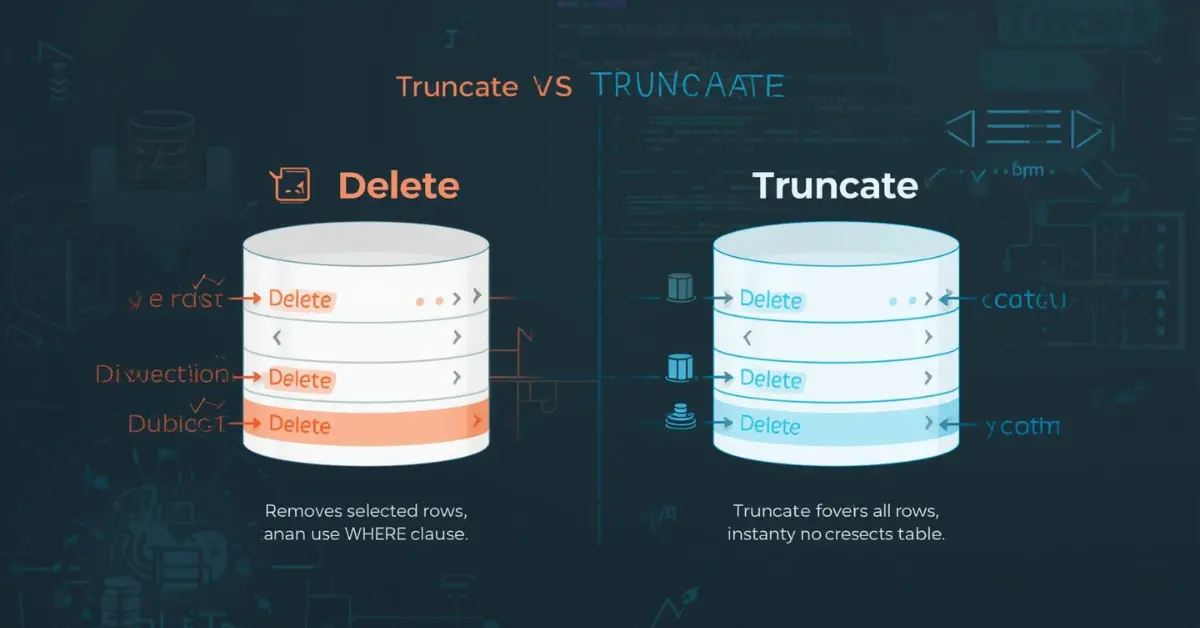
Truncate is a DDL (Data Definition Language) command. It removes all rows from a table without logging individual row deletions.
Example:
TRUNCATE TABLE Employees;
Delete is a DML (Data Manipulation Language) command. It removes rows individually and logs every deletion.
Example:
DELETE FROM Employees WHERE Age > 60;
2. Execution Speed
- Truncate is faster as it doesn’t scan each row.
Example: Clearing 10,000 records in seconds. - Delete is slower because it checks and deletes rows individually.
Example: Deleting 10,000 records may take minutes depending on conditions.
3. WHERE Clause Support
- Truncate cannot use a WHERE clause.
Example: Cannot delete only employees older than 60 with truncate. - Delete supports WHERE.
Example: DELETE FROM Employees WHERE Age > 60;
4. Rollback Possibility
- Truncate is not easily rollbackable in some DBMS unless inside a transaction.
Example: Once truncated, data is gone permanently in MySQL. - Delete can be rolled back if used inside a transaction.
Example: DELETE FROM Employees; ROLLBACK;
5. Triggers Activation
- Truncate does not activate triggers.
Example: Deleting rows via truncate doesn’t fire any AFTER DELETE triggers. - Delete activates triggers.
Example: A trigger updating audit logs runs when the delete command is executed.
6. Space Reclamation
- Truncate frees the allocated space immediately.
Example: Truncating a table releases 1GB of space. - Delete frees space only after rows are removed, sometimes requiring additional commands.
7. Identity Reset
- Truncate resets auto-increment counters.
Example: EmployeeID starts from 1 after truncation. - Delete does not reset identity values.
8. Logging Impact
- Truncate uses less log space, efficient for large tables.
- Delete logs every row deletion, creating more log overhead.
9. Referential Integrity
- Truncate cannot be used if a table is referenced by a foreign key.
- Delete works with foreign keys if constraints allow.
10. Use Cases
- Truncate – best for clearing the entire table quickly.
- Delete – best for selective removal.
Nature and Behaviour
Truncate: Fast, irreversible, non-selective, used for bulk deletion.
Delete: Slow, reversible, selective, used for precise control.
Why People Are Confused: Both remove data, but their subtle differences in rollback, triggers, and performance cause misunderstanding.
Table: Difference and Similarity
| Feature | Truncate | Delete | Similarity |
| Type | DDL | DML | Both remove data |
| WHERE Clause | No | Yes | Operate on tables |
| Speed | Fast | Slow | Used in SQL |
| Rollback | Limited | Yes (if transaction) | Data deletion |
| Triggers | No | Yes | Affect database |
| Identity Reset | Yes | No | Can remove all rows |
| Space Reclaimed | Immediate | Gradual | Free up space |
| Logging | Minimal | Detailed | Alters table data |
| Referential Integrity | Cannot truncate referenced table | Can delete with constraints | Manage records |
| Use Case | Clear all data | Selective removal | Table management |
Which is Better in What Situation?
Truncate is better when you want to clear all data quickly, like clearing a staging table. It saves time and resources.
Delete is better for selective deletion or when you need to maintain logs, triggers, and audit trails.
Metaphors and Similes
- Truncate: “Like sweeping an entire floor in one go.”
- Delete: “Like picking out individual weeds from a garden.”
Connotation:
- Truncate – neutral, practical.
- Delete – neutral to negative (careful deletion can avoid mistakes).
Idioms or Proverbs
- Cut to the chase → similar to truncating unnecessary data.
- Pick and choose → similar to deleting selectively.
Works in Literature
- “Truncate of Fate” (Novel, J. Smith, 2012) – Fiction
- “Delete Me” (Short Story, A. Brown, 2018) – Drama
Movies
- Delete (2020, USA) – Sci-Fi/Thriller
- Truncate (2018, UK) – Action/Drama
FAQ
- Can truncate be rolled back?
- Not easily; depends on DBMS and transactions.
- Does delete reset identity?
- No, only truncate resets auto-increment values.
- Which is faster?
- Truncate is faster for large tables.
- Can delete fire triggers?
- Yes, truncate does not.
- Can truncate be used with the WHERE clause?
- No, delete supports WHERE for selective removal.
How Both Are Useful for Surroundings
- Truncate helps clean up large datasets quickly, like emptying logs or temp data.
- Delete helps maintain database hygiene, removing outdated or specific records carefully.
Final Words
Both truncate and delete are essential tools in database management. Choosing the right command ensures efficiency, accuracy, and prevents data mishaps.
Conclusion
Understanding the difference between truncate and delete is vital for both beginners and experts. While truncate is perfect for fast, bulk deletions, delete allows selective removal with full control and logging. Using these commands appropriately prevents errors, maintains data integrity, and optimizes database performance.
Professionals leverage these differences to save time, manage space, and ensure seamless operations. Next time you handle a database, remember the home-drawer analogy: truncate for total clearance, delete for selective cleanup. Knowing the distinction strengthens your SQL skills and practical efficiency.

Hi, I’m DreamAnchor, the author behind GrammarCircle. I am passionate about language, writing, and helping people understand the small but important differences in English words and concepts. Through my work, I focus on explaining grammar rules, word comparisons, and language usage in a simple and practical way so that students, writers, and professionals can improve their communication skills.